

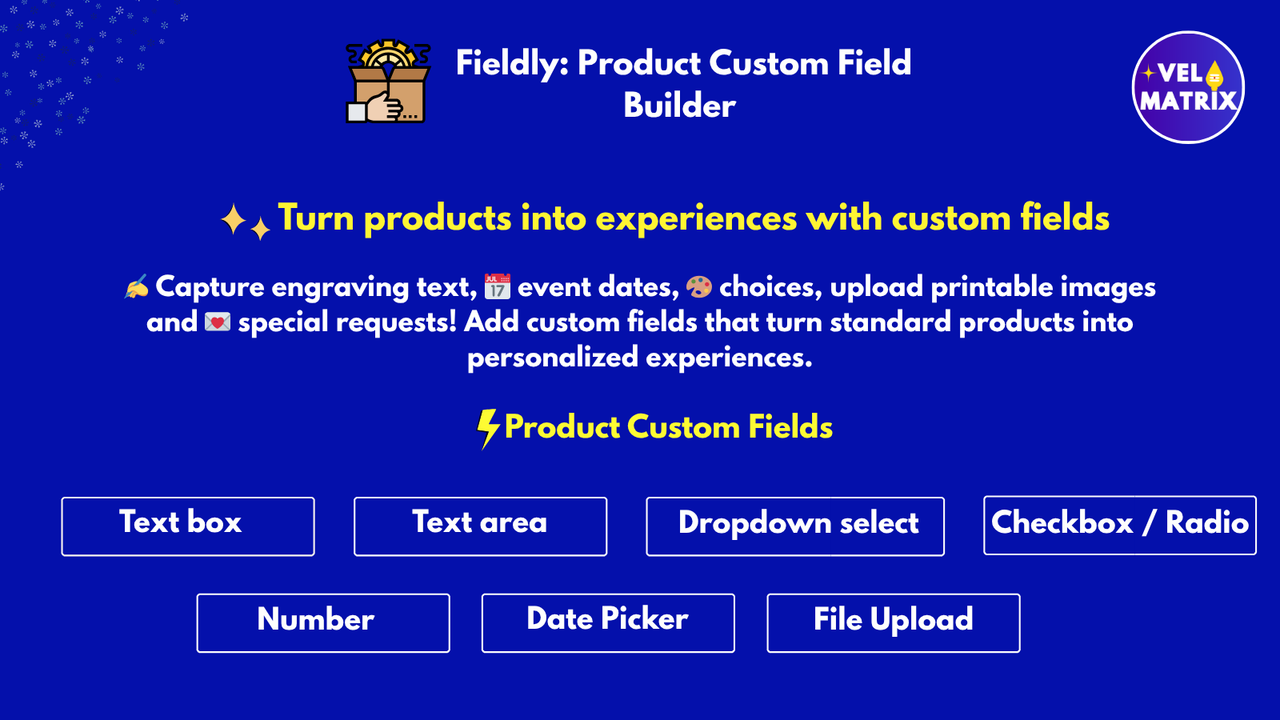
Running a Shopify store is no longer just about selling products—it’s about selling personalized experiences. Whether you’re selling customized gifts, personalized t-shirts, engraved jewelry, made-to-order cakes, or B2B products, customers often need a way to provide extra information before checkout.
That’s exactly where Fieldly: Product Custom Fields helps.
Fieldly is a powerful Shopify app that allows merchants to add custom product fields directly on product pages. With Fieldly, you can easily collect customer inputs such as text, numbers, dates, file uploads, dropdown selections, and more—without writing a single line of code.
Why Shopify Stores Need Custom Product Fields
Shopify’s default product options are limited. You can add variants like size and color, but what if you need more advanced inputs like:
- Customer name for engraving
- Upload a logo file
- Choose delivery date
- Select multiple toppings for food orders
- Add gift messages
- Enter custom dimensions or measurements
- Add special instructions
Without a custom field solution, store owners must contact customers manually, causing:
✅ Order delays
✅ Customer confusion
✅ Fulfillment mistakes
✅ Increased support tickets
With Fieldly, all required customer details are collected automatically before adding the product to cart.
What is Fieldly: Product Custom Fields?
Fieldly is a Shopify product customization app that helps you create unlimited custom input fields on product pages. It enables merchants to collect extra details from customers in a structured and professional way.
All customer-provided details are saved directly into:
- Shopify cart
- Shopify checkout
- Shopify order details
So your fulfillment team always receives the correct information.
Key Features of Fieldly: Product Custom Fields
✅ Add Multiple Field Types on Product Pages
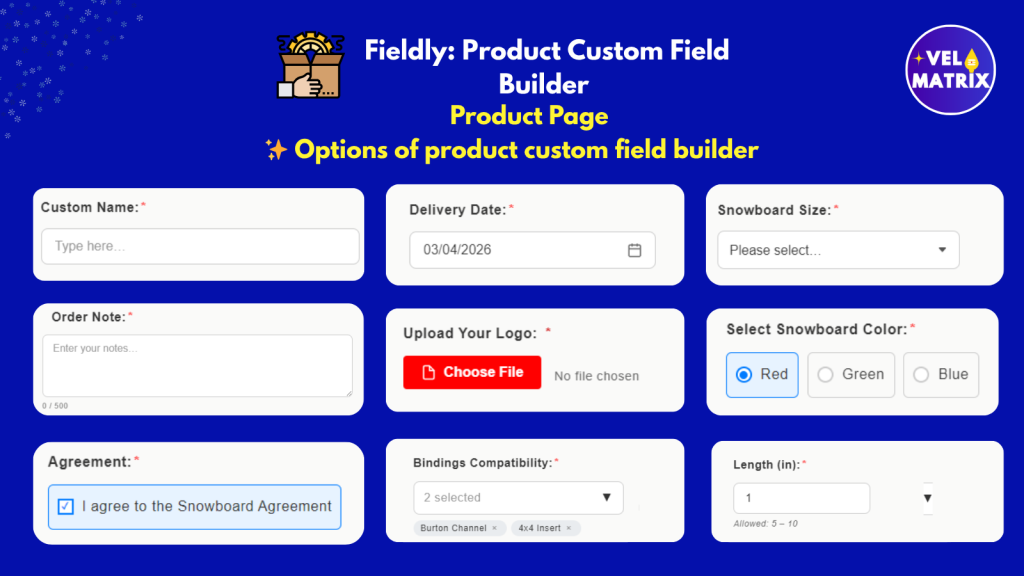
Fieldly supports a wide range of input types to fit any business model:
Supported field types include:
- Text input field
- Textbox / textarea
- Number field
- Checkbox and radio buttons
- Dropdown (single select)
- Dropdown (multi select)
- Date picker
- File upload field (custom images/documents)
This makes Fieldly one of the most flexible Shopify custom field apps available.
✅ File Upload Option for Shopify Products
One of the most requested features for Shopify stores is file upload.
With Fieldly, customers can upload:
- Logos
- Custom designs
- Reference images
- Documents
- Print-ready artwork
Perfect for businesses like:
- Printing shops
- Custom apparel stores
- Sign boards & banners
- Digital service providers
Uploaded files are saved along with the order, so you don’t have to chase customers after purchase.
✅ Make Custom Fields Required Before Add to Cart
Many stores need mandatory input fields.
Fieldly allows you to enforce validation rules so customers cannot proceed without filling required fields.
For example:
- Name engraving field required
- Upload image required
- Delivery date required
- Checkbox agreement required
This prevents incomplete orders and reduces refund requests.
✅ Apply Fields to Products, Collections, or Entire Store
With Fieldly, you can control exactly where fields appear.
You can apply custom fields to:
- Specific products
- Entire collections
- All products across the store
This is extremely useful for merchants who sell multiple categories of personalized products.
✅ Save Customer Input Directly in Shopify Orders
Once the customer fills the custom fields, Fieldly saves the details into Shopify order properties automatically.
This means:
- Inputs appear inside cart
- Inputs appear inside checkout
- Inputs are stored in Shopify admin order view
No more manual notes, emails, or follow-up messages.
✅ Style Custom Fields to Match Your Store (No Coding Required)
Fieldly offers easy customization options so your custom fields match your store theme.
You can style:
- Label text
- Field layout
- Colors
- Spacing
- Input appearance
So the custom fields look like a natural part of your Shopify store.
✅ Works for Personalized Products, B2B Orders, and Custom Workflows
Fieldly is designed for both small and large merchants.
It is ideal for:
- Personalized gifts
- Print-on-demand stores
- Made-to-order products
- Food and bakery orders
- Custom jewelry engraving
- Wholesale / B2B ordering workflows
- Medical or service-based product forms
Use Cases: How Merchants Use Fieldly in Real Stores
🎁 Personalized Gift Stores
Ask customers to enter:
- Name
- Message
- Gift note
- Preferred delivery date
👕 Apparel and Printing Businesses
Collect:
- Custom logo upload
- Printing size selection
- Placement dropdown
- Custom text for t-shirts
🍕 Food and Bakery Stores
Allow customers to select:
- Multiple toppings
- Quantity fields
- Delivery date picker
- Special instructions textbox
🏢 B2B and Wholesale Stores
Get customer details like:
- Company name
- GST number
- PO reference number
- Bulk requirements
Benefits of Using Fieldly for Shopify
🚀 Increase Conversions
Customers can complete customization instantly instead of messaging you.
⏳ Save Time and Reduce Support Work
No manual follow-ups needed.
✅ Reduce Fulfillment Errors
All customer requirements are clearly saved in the order.
💼 Professional Shopping Experience
Your store looks more advanced and user-friendly.
Fieldly Features Summary
Fieldly includes everything needed for product customization:
✔ Text fields, number fields, radio buttons, checkboxes
✔ Dropdown single select & multi select
✔ Custom file upload fields
✔ Required fields before add to cart
✔ Apply fields to products, collections, or entire store
✔ Save customer inputs directly with Shopify orders
✔ Custom styling without coding
✔ Free 24/7 support
Why Fieldly is the Best Shopify Custom Fields App
Many Shopify apps allow basic customization, but Fieldly stands out because it is:
- Easy to set up
- No coding required
- Supports advanced field types (including file upload)
- Works seamlessly with Shopify cart and order system
- Designed for both personalization and business workflows
If you want to offer personalized products professionally, Fieldly is the perfect solution.
Final Thoughts
If you are searching for a Shopify app that allows customers to enter custom information like text, dates, dropdown selections, file uploads, and checkboxes, Fieldly: Product Custom Fields is the ideal choice.
It improves customer experience, reduces order mistakes, and helps merchants scale personalized product sales efficiently.
Ready to Add Custom Fields to Your Shopify Store?
Install Fieldly: Product Custom Fields today and start collecting customer inputs directly on product pages—fast, easy, and without coding. Developed by Velmatrix
Leave a Reply