

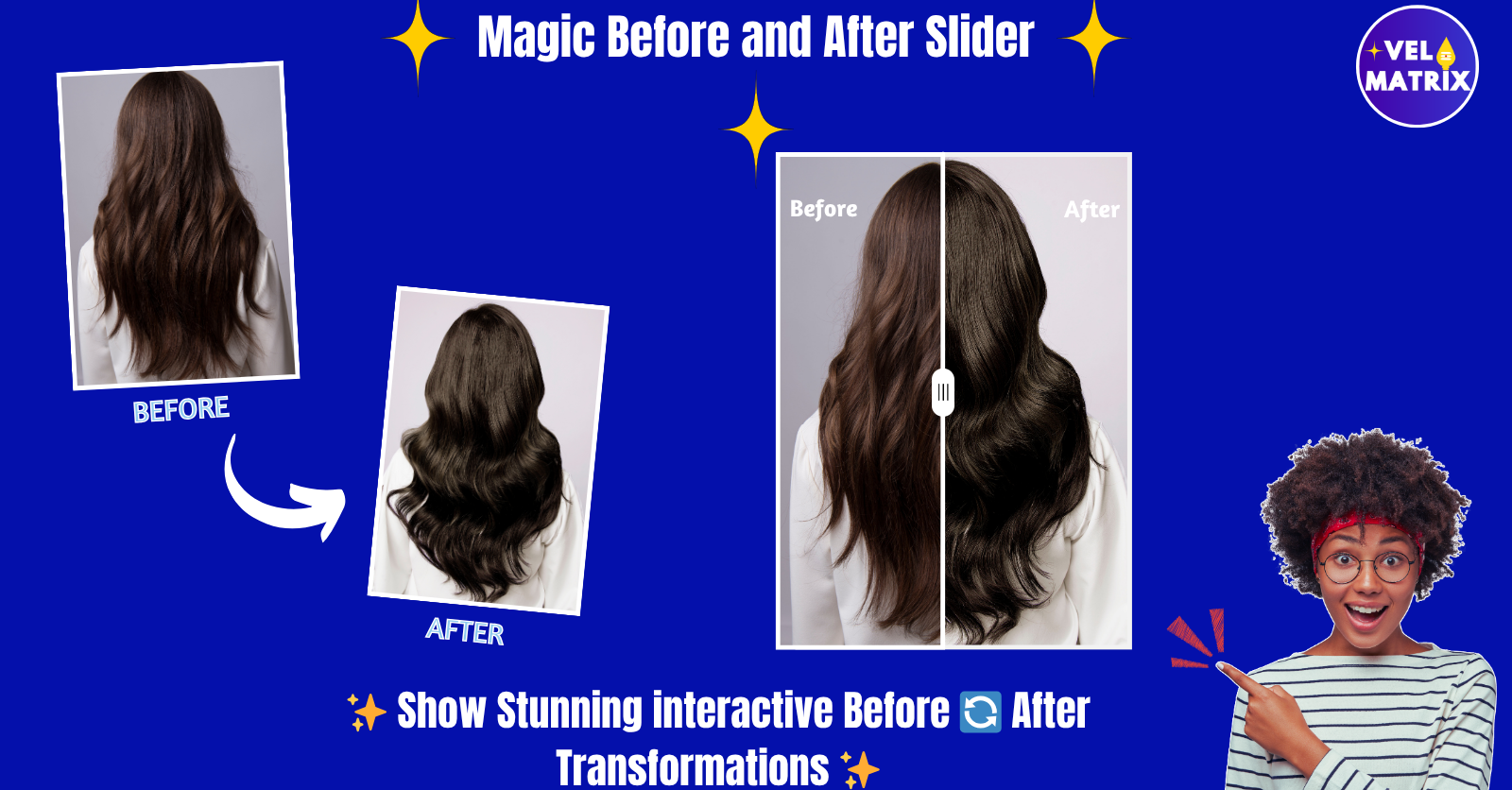
A before and after slider Shopify app helps merchants showcase visual transformations clearly.
Highlight visual changes in a powerful and engaging way using a before and after slider for Shopify. Whether you want to showcase product improvements, beauty makeovers, fitness results, furniture restoration, or photo edits, a before–after comparison slider helps customers instantly see the difference.
Instead of showing two separate images, the interactive slider allows visitors to drag a divider and compare images side-by-side. This makes the transformation clear, engaging, and easy to understand.
With simple customization options, you can match the slider to your store’s design without needing any coding skills. Just upload your images, choose your layout, and your before-and-after comparison is ready to display.
This type of visual comparison works especially well for industries like beauty, skincare, fitness, home décor, furniture, cleaning services, photography, and product demonstrations, where showing results visually can increase trust and conversions.
Why Use a Before and After Slider for Shopify Stores?
Customers often want to see proof before they buy. A before-and-after comparison slider helps you present that proof clearly and interactively.
Instead of static images, visitors can slide across the image to reveal the transformation. This creates a more engaging shopping experience and helps customers better understand the value of your products or services.
Key Features
Interactive Image Comparison
Let customers easily compare before and after images using a smooth, interactive slider.
Flexible Layout Options
Choose from 1-column, 2-column, or 3-column layouts to fit different page designs.
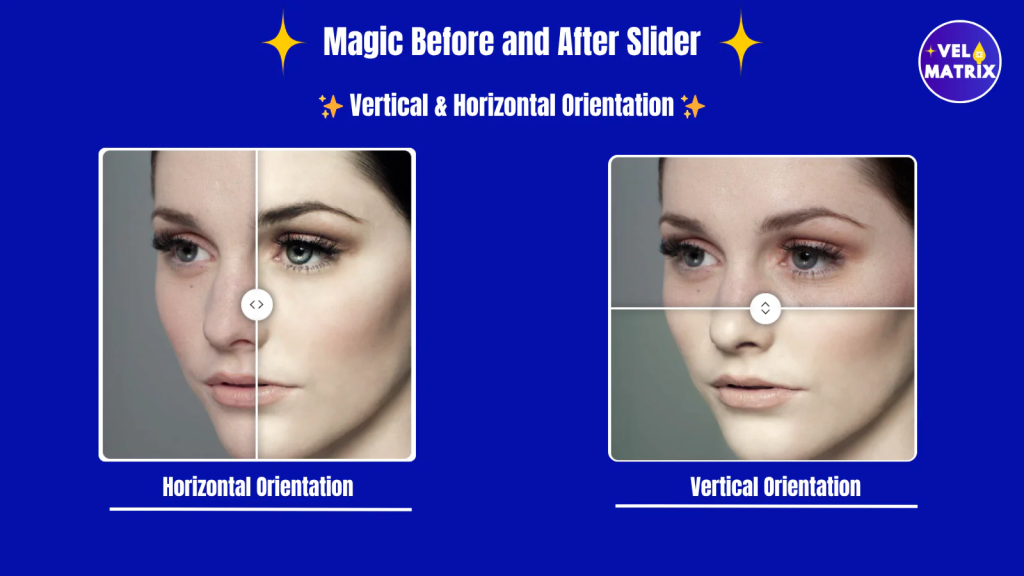
Horizontal or Vertical Slider Direction
Switch between horizontal or vertical sliders depending on how you want the comparison displayed.
Custom Divider Styles
Select from multiple divider styles to create a clean and visually appealing comparison effect.
Full Design Customization
Easily adjust labels, colors, slider styles, orientation, corner radius, and width to match your store theme.
No Coding Required
Simply upload your images and configure the slider settings. No technical knowledge is needed.
Best Uses of a Before and After Slider Shopify App
A before and after slider works well across many industries, including:
- Beauty and skincare transformations
- Fitness progress results
- Furniture restoration
- Home renovation projects
- Cleaning services
- Photography edits
- Product improvements and demonstrations
By showing real visual changes, you can build trust and credibility, helping customers feel more confident about their purchase decisions.
How a Before and After Slider Shopify App Improves Customer Engagement
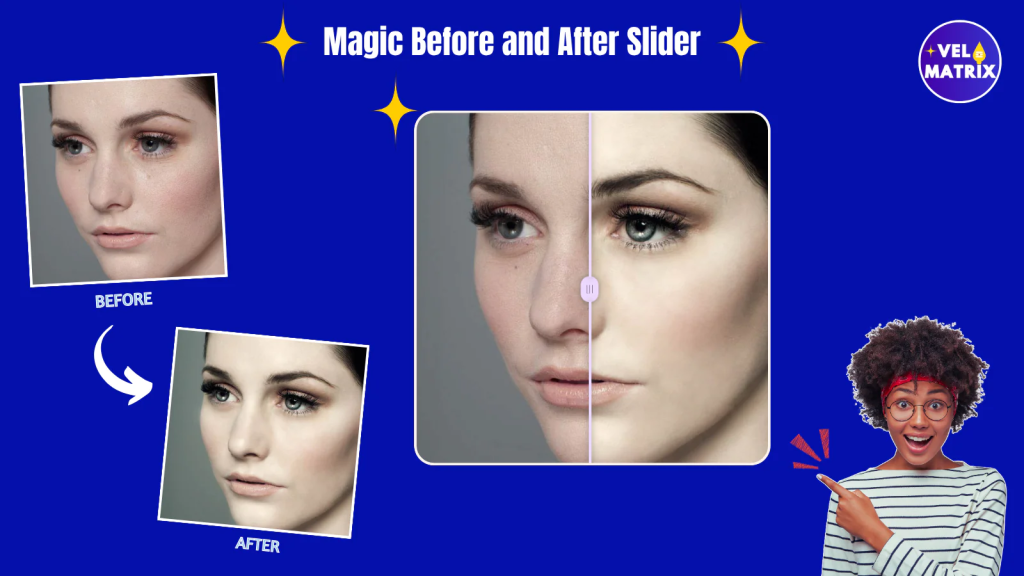
Adding a before and after slider to your Shopify store does more than just display two images. It creates an interactive experience that encourages visitors to engage with your content. Instead of simply looking at pictures, customers can drag the slider to reveal the transformation themselves. This small interaction makes the content more memorable and visually appealing.
For many industries, showing visual proof is extremely important. For example, beauty brands often need to demonstrate skincare improvements, while furniture stores may want to highlight restoration results. A before and after slider allows these businesses to clearly show the difference between the original and the final result.
When customers can easily compare images side by side, they understand the value of a product or service much faster. This can help reduce hesitation and build confidence in the purchasing decision.
Another advantage is that visual comparison sliders make product pages look more modern and professional. Interactive elements keep visitors on the page longer, which can also positively impact search engine rankings.
For Shopify merchants who want to showcase transformations, product upgrades, or service results, a before and after slider is a simple yet powerful tool that improves both design and customer experience.
Create Engaging Visual Comparisons
Adding a before and after slider to your Shopify store is a simple way to make your product pages more interactive. Instead of just describing improvements, you allow customers to see the transformation themselves.
This visual storytelling approach can capture attention, keep visitors engaged longer, and ultimately help increase conversions.
Leave a Reply